
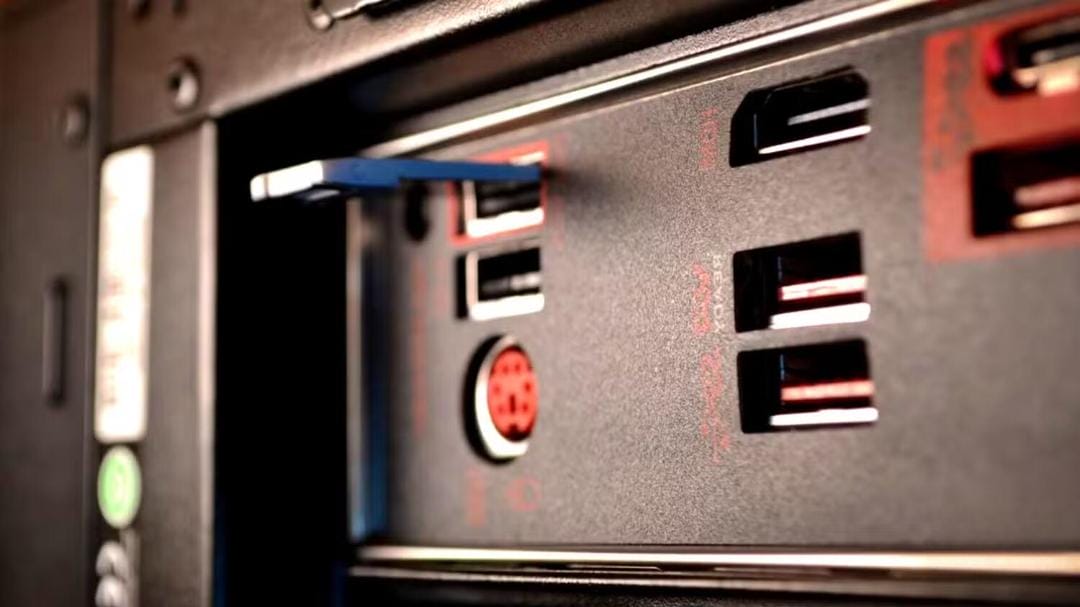

The color of the USB port’s inner insert often helps you figure out its speed. Blue ports usually meet the USB 3.0/3.1 Gen 1 standard, with speeds of up to 5 Gbps. Red ports are even faster. They support the USB 3.1/3.2 Gen 2 standards and can reach 10–20 Gbps. They also often support charging devices even when the PC is turned off. But, as BGR points out, color coding isn’t a hard-and-fast rule in the industry. Some manufacturers (like HP) might use black even for high-speed ports, so it’s always good to check the tech specs.
Universal Serial Bus (USB) ports, specifically Type-A and Type-B, may look different in terms of the color of their inner plastic insert. These colors usually indicate which standard is used and the port’s operating speed. For example, blue ports are found on most modern devices and are generally considered faster than older black or white USB connectors. Red USB ports are pretty rare, and sometimes they can even be faster than blue ones, according to BGR.
What does a blue USB port mean?
Blue ports usually indicate that the USB 3.0 or USB 3.1 Gen 1 standard is being used. It can transfer data at speeds of up to 5 Gbps, making it great for external drives, flash drives, cameras, and other devices where speed is important.
What does a red USB port mean?
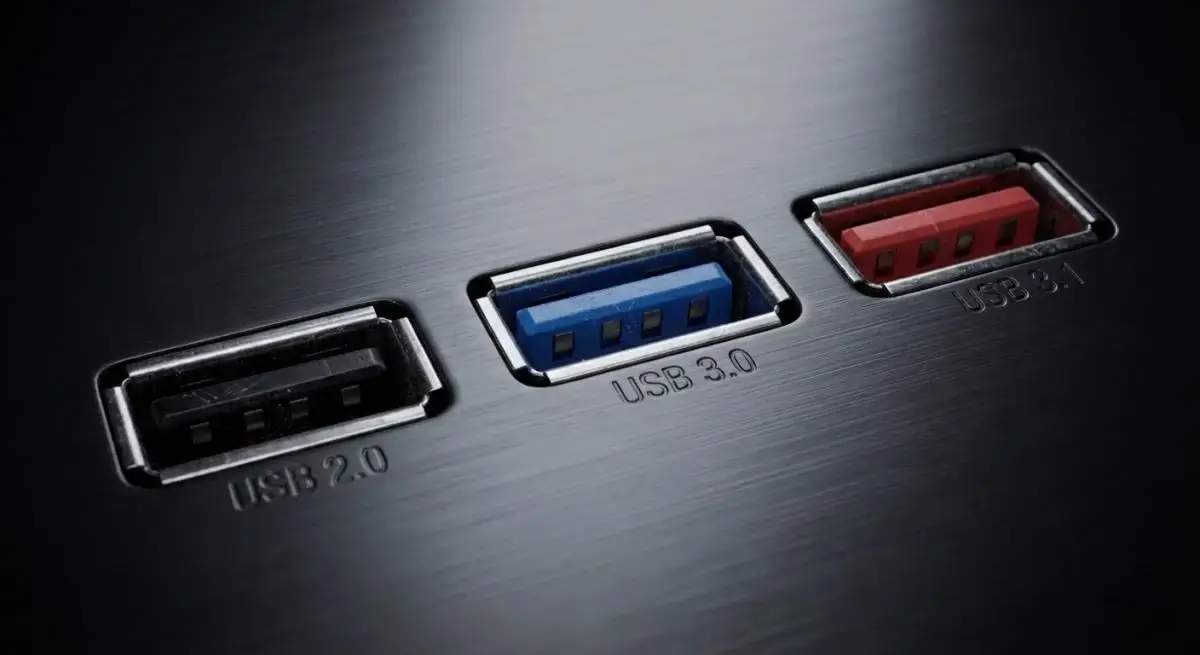
Red USB ports are usually for the latest generations of the interface, like USB 3.1, USB 3.2 Gen 2, or USB 3.2 Gen 2×2. These standards are a lot faster than USB 3.0: they can provide data transfer speeds of up to 10 Gbps, and in the case of USB 3.2, up to 20 Gbps.
These ports also usually support the “always-on power” feature, which lets you charge devices even when the computer is turned off.
Hey, which USB port is faster?
If your computer has both blue and red USB ports, the red port will usually have faster data transfer speeds and more advanced power features. But there’s one thing to keep in mind: the color of a USB port isn’t set in stone.
Manufacturers don’t have to use certain colors for certain USB versions. So, color is just a suggestion, not a hard and fast rule.
HP, for example, uses black ports for USB 3.2 Gen 1, even though black is typically associated with USB 2.0. So, you can’t just depend on the color—you’ve got to check the label next to the port or the device’s manual.